
Guide
WoW Forever Twitch Drops: how to get the Pouch of Violet Dust by 12 November
WoW Forever Twitch Drops close on 12 November 2026 at 4:30 p.m. PST, so start your four hours by 12:30 p.m. PST that day at the very latest. Link your Twitch account at account.battle.net/connections, watch eligible World of Warcraft streams, claim the drop on Twitch, then log into the Battle.net region you want it delivered to. The reward is the Pouch of Violet Dust, a toy that turns a campfire purple and stretches camp benefits from one hour to two.
Three things catch people out, and each one is hard to undo inside an eight-day window: a seven-day lock on relinking a new Twitch account, delivery to the first region you log into, and a reward that disappears from your collection in early December. Every rule below comes from Blizzard's 5 November post, 'Set Your Campfire Ablaze with the Pouch of Violet Dust!', read on 6 November 2026. The time conversions and the readings we have added are labelled as ours.
Step 1: link the right accounts before you watch
Do this first, because with WoW Forever Twitch Drops a mistake here costs more time than the watching does. Blizzard's instruction is short: 'Sign into your Battle.net account at https://account.battle.net/connections and click the Connect link for Twitch, then follow the instructions to sign in and link your Twitch account to Battle.net.' Check which Twitch account your browser is signed into before you click. If you keep a second Twitch login, this is the moment it matters.
Blizzard adds a rule that older links do not escape: 'If you have changed your password or made any changes to your Twitch or Battle.net account, you will have to relink your accounts.' A link you made for an earlier drop may therefore be dead without showing any error, particularly if you tightened your security before launch. Open the connections page and look, rather than assuming.
The relink is where the campaign's short window bites. 'When you relink, there will be a 7-day cooldown before you can relink a new Twitch account.' The window runs for eight days, from 4 to 12 November. By our arithmetic, anyone who relinks on or after 5 November at 4:30 p.m. PST and then wants a different Twitch account is locked out until after the window has shut. Relinking the same Twitch account is the normal fix. Switching to a different one is the move you cannot take back.
Next, confirm you are in a region that can earn it. Blizzard's Twitch list is North America, Latin America, Europe, the Middle East, Africa, Japan, Taiwan, Southeast Asia, Australia and New Zealand. Korea is missing from that list and present on the YouTube one, which is otherwise identical. A player in Korea should therefore not plan on the Twitch route at all, and the post does not explain the difference.
- Sign into Battle.net at account.battle.net/connections.
- Click Connect beside Twitch and sign in with the Twitch account you will watch on.
- If you changed a password or account detail since you last linked, relink now.
- Check your region is on the Twitch list above.
Step 2: watch four hours before the window closes
The requirement is 'four hours of eligible World of Warcraft content while Drops are active on any channel', and the hours do not have to come from one streamer. Blizzard's example: 'you can, for example, watch half an hour on one channel and then switch to another channel without losing your progress.' The channel has to be eligible and in the World of Warcraft category on Twitch, which means the streamer has linked accounts and opted into Drops. Blizzard's streamer note describes exactly that.
Watching several streams at once gets you nothing: 'You cannot earn progress faster by watching more than one channel at a time.' Four hours is four hours of clock time. Devices matter too. You can earn and claim on a 'PC/Mac web browser' or the Twitch app 'for Android or iOS', while Blizzard says Twitch apps 'on game consoles, smart TVs, and other TV apps do not support drops'. Hours spent watching through a television app earn nothing, so check the device before you settle in.
The table converts the closing time into local time. Blizzard publishes the deadline in PST only, so the conversions are ours. The last-start column simply subtracts four hours. It assumes unbroken viewing with no margin, so treat it as the point of no return, and start well before it. Launch-day forum threads that treat the drop as already over predate Blizzard's post, whose window runs to 12 November.
| Time zone | Drops end | Last start for four hours |
|---|---|---|
| Pacific (PST) | Thu 12 Nov, 4:30 p.m. | Thu 12 Nov, 12:30 p.m. |
| Eastern (EST) | Thu 12 Nov, 7:30 p.m. | Thu 12 Nov, 3:30 p.m. |
| São Paulo (BRT) | Thu 12 Nov, 9:30 p.m. | Thu 12 Nov, 5:30 p.m. |
| London (GMT) | Fri 13 Nov, 12:30 a.m. | Thu 12 Nov, 8:30 p.m. |
| Central Europe (CET) | Fri 13 Nov, 1:30 a.m. | Thu 12 Nov, 9:30 p.m. |
| Taipei, Singapore | Fri 13 Nov, 8:30 a.m. | Fri 13 Nov, 4:30 a.m. |
| Tokyo (JST) | Fri 13 Nov, 9:30 a.m. | Fri 13 Nov, 5:30 a.m. |
| Sydney (AEDT) | Fri 13 Nov, 11:30 a.m. | Fri 13 Nov, 7:30 a.m. |
| Auckland (NZDT) | Fri 13 Nov, 1:30 p.m. | Fri 13 Nov, 9:30 a.m. |
Step 3: claim it, then log into the right region
Reaching four hours does not finish the job, and this is the step where WoW Forever Twitch Drops most often stall. 'To receive your rewards, you must claim the drop on the channel you're watching or in the Drops Inventory menu on Twitch.' Nothing arrives in the game until you have pressed that claim. If you left a stream running in the background, go back to the Drops Inventory afterwards and confirm the claim went through.
Now the trap that is easiest to trigger by accident. Blizzard: 'please make sure you're logging into the Battle.net region you'd like to receive the drop(s) on, as the first region you log into will be where your items will be delivered.' The word to notice is first. If you normally play in Europe but briefly open a character in the Americas after claiming, that visit is the one that decides. So plan the login: claim, then go straight to the region your main character is in. Blizzard publishes no way of moving a delivered item between regions.
Then wait. 'It can take up to 24 hours to receive your reward(s) in-game after claiming.' A toy that has not shown up after an hour is not yet a problem.
One deadline is left. 'Earned Twitch Drop rewards will expire seven (7) days after they've been claimed if a Battle.net account has not been linked.' So a claim with no link attached is on a timer. That is another reason to link in step 1 and not after the fact. Claim on the final evening with no link and, by our count, you would have until about 19 November to fix it.
If the drop did not arrive: symptom by symptom
Most WoW Forever Twitch Drops failures trace back to one of Blizzard's own conditions, so the table starts from what you see on screen. Several rows are questions players have raised on Blizzard's General Discussion forum this week. Each fix is drawn from Blizzard's posts, and where they have no answer the row says so rather than offering a guess.
Blizzard also reserves 'the right to change, pause, or cancel this Twitch Drop and its terms' if it cannot run as planned. If your progress bar misbehaves, check Blizzard's news page before spending more hours on it.
| What you see | Likely cause | What to do |
|---|---|---|
| Twitch keeps asking you to connect | The link is stale. Password or account changes end it | Relink at account.battle.net/connections, using the same Twitch account |
| Progress stays at zero | Channel not eligible, or you are on a TV or console app | Move to a browser or the phone app, on a Drops-enabled World of Warcraft channel |
| Four hours done, nothing in game | Not claimed yet | Claim on the channel or in the Drops Inventory menu on Twitch |
| Claimed, still nothing | Delivery can take time | Allow up to 24 hours, then check the region you logged into first |
| Toy went to the wrong region | First-login rule | No fix published; ask Blizzard Support |
| You want a different Twitch account | 7-day cooldown after a relink | Only possible if the cooldown ends before you still need four hours |
| Toy used, buffs still last one hour | Benefits come from sitting at the camp | Sit or craft at the campfire for at least 1 minute after it turns purple (our reading of the order) |
| In Korea, no progress on Twitch | Korea is not on the Twitch list | Korea is listed for YouTube rewards only |
| Looking for it in Classic or modern WoW | Forever only | Log into WoW: Forever |
What two hours actually changes at a campsite
A longer camp matters because camp features are the buffs you can get out in the world without a class to cast them, and they run out while you are travelling. Blizzard's description of the toy: it allows players 'to turn a campfire purple, increasing the duration of all camp benefits by 1 hour (for a total of a 2-hour duration). Once activated, this benefit is shared, and any other players resting at the Camp will receive the same duration extension.' Without it, the camp buffs last an hour. Blizzard's own example is a Sharpening Wheel that 'increases Strength for an hour'.
The shared part is what gives the toy its value. By that wording, one player with the pouch is enough for everyone resting at that camp. A group of friends therefore does not need four hours of viewing each, as long as one of them has the toy when the fire is lit. A Basic Campfire 'can support up to three special crafted objects contributed by nearby players, with each player able to add one', so a small party can stack several effects and carry them all for the longer time.
To see the difference, take an illustrative evening. Three friends sit down at 7:00 p.m. at a Basic Campfire with a Sharpening Wheel, an Incense Candle and a Fishing Bowl. Normally those buffs would last until about 8:00 p.m. With the fire turned purple first, they last until about 9:00 p.m. That is an extra hour of questing, or a dungeon run, on a single stop.
Several things stay the same. You still have to sit: 'Players sitting or crafting at a campsite for at least 1 minute will gain the benefits from other camp features.' The post extends duration only, and says nothing about the rule that 'All Camping features require a campfire to be nearby and share a cooldown of 1 hour.' So on what Blizzard has published, you may be able to place a feature again while the last buff is still running. These buffs also remain exclusive with the class buffs in the table, so a Paladin's Blessing of Kings and a Fishing Bowl do not simply add together. Blizzard does not say which one wins.
Blizzard leaves several questions unanswered: the toy's own cooldown, whether it needs to be your campfire, whether it works on upgraded fires, and whether it stacks with the Legacy perk Permanence, which 'increases the duration of party, raid, and camping buffs'. If you want to test any of this, remember Blizzard's warning about where you stop: 'On a PvP Ruleset, that risk increases when enemy players come upon your camp.'
The table lists the features Blizzard published and whether the two-hour extension has anything to act on. The last column is our reading of 'all camp benefits'.
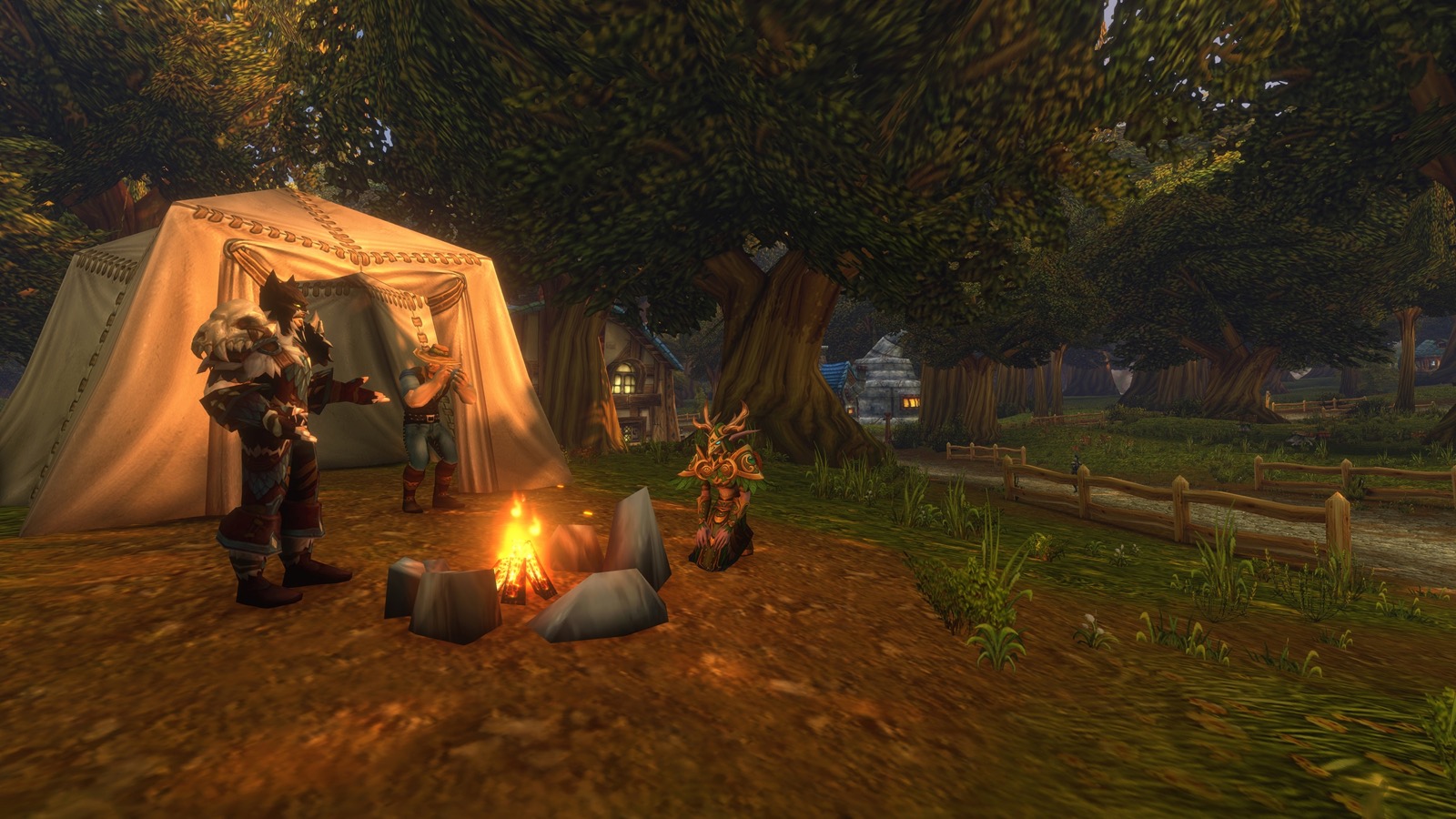
| Feature (profession) | Benefit, as published | Exclusive with | Two hours applies? |
|---|---|---|---|
| Sharpening Wheel (Blacksmithing) | 6-34 increased Strength | Strength of Earth Totem | Yes |
| Incense Candle (Herbalism) | 2-25 increased Intellect | Arcane Intellect | Yes |
| First Aid Kit (First Aid) | 3-56 increased Stamina | Power Word: Fortitude | Yes |
| Fishing Bowl (Fishing) | 8% increased stats | Blessing of Kings | Yes |
| Mana Well (Alchemy) | 10-29 Mana every 5 seconds | Blessing of Wisdom | Yes |
| Enchanted Lute (Enchanting) | 28-260 Armor, 0-13 all stats, 0-22 all resistances | Mark of the Wild | Yes |
| Camp Chair (Skinning) | 2% critical strike chance | Moonkin Aura | Yes |
| Faction Banner (Tailoring) | 14-32 increased Spirit, your faction only | Divine Spirit | Yes |
| Camp Tent (Leatherworking) | Rested experience up by 5% of a level | None listed | Unclear: a top-up, not a timed buff |
| Reagent Bot (Engineering) | Nearby players can buy reagents | None listed | Nothing to extend |
Questions people ask
- Do I keep the Pouch of Violet Dust after the event?
- No. Blizzard calls it an ephemeral item that can only be used during the launch-celebration event, 'which expires in early December'. After that, 'the toy will be removed from players' collections and will no longer be available in game'. Blizzard has not given an exact day. If you collect toys, know that this one does not stay.
- Can I get the toy without Twitch?
- The post's only other route is YouTube, where you must watch the World of Warcraft official channel with your accounts connected. It gives no in-game way of earning the toy, and it publishes no YouTube schedule.
- Is it worth four hours?
- That depends on how often you camp, and whether a friend already has one. The benefit lasts for about a month and is shared with everyone resting at your camp, so one owner in a regular group covers everybody. Blizzard's rules allow you to switch channels freely, so the hours do not have to be one sitting.
- Do the WoW Forever Twitch Drops include anything else?
- Blizzard's 5 November post names one reward, the Pouch of Violet Dust. The earlier housing decor drop in Blizzard's October round-ups was a modern WoW item, and this post says the toy is available only within Forever. Guides about a plush or a housing item are about a different campaign.
Sources & further reading
- Blizzard — 'Set Your Campfire Ablaze with the Pouch of Violet Dust!' (Twitch Drops 4–12 Nov, camp benefits 1 hour extended to 2 hours), 5 Nov 2026, read 6 Nov 2026
- Blizzard — 'Gather Around the Campfire in World of Warcraft: Forever' (camp features per profession, 1-minute sit, shared 1-hour cooldown), 21 Oct 2026, read 26 Oct 2026
- Blizzard — 'Get to Know the World of Warcraft: Forever Legacy System' (65 challenges in six categories, perks per tree, four rewards, Hardcore rules), 23 Sep 2026, read 26 Oct 2026
- Blizzard — WoW Weekly round-ups 16 Oct (24313102, incl. the Forever soundtrack track list) and 23 Oct (24313106); WoW: Forever Podcast ep. 4 PvP (24304079) and ep. 5 End of Beta (24302577), read 26 Oct 2026
Read next
- WoW Forever camping
WoW Forever camping from Blizzard's Deep Dive: the Basic Campfire, three crafted objects, one-hour buffs after /sit, Blueprints and 5/10-object campfires.
- WoW Forever professions
WoW Forever professions: 600+ new recipes, campsite objects and Blueprints, food that grants XP, and the Legacy perks tied to crafting — from Blizzard's recap.
- WoW Forever release date
WoW Forever release date was 4 November 2026 at 3:00 p.m. PST, worldwide. It is live now; raids open 9 December. Local times and every dated milestone.
- WoW Forever Legacy system
WoW Forever Legacy system explained: Legacy Points shared across alts, three trees, the 16-point spend cap, 65 points at launch and the cosmetic Reward Track.
- Is WoW Forever free?
Is WoW Forever free? It is included with any World of Warcraft subscription or Game Time; only the Skyborne race needs a pack ($29.99+). No trial announced.
Part of WoW Forever release date. Back to the WoW Forever Playbook home page.

Sukie · Editor
Sukie runs WoW Forever Playbook. She reads every Blizzard article, panel recap and forum post about World of Warcraft: Forever, checks each number against the source before it goes on a page, and rewrites anything a later Blizzard post contradicts. The focus is narrow on purpose: what Blizzard has actually said, with the source attached.
About this site · How pages are checked · Last updated November 6, 2026
WoW Forever Playbook is an unofficial fan site. It is not affiliated with, endorsed by or associated with Blizzard Entertainment. Game names, images and trademarks belong to their owners.